

Software for dental practices
The whole practice.
One screen.
DentiumOS is the practice management system for Bulgarian dental practices: calendar, patient chart, plans, payments, НЗОК and НЗИС.
Calendar
The day, clear at a glance.
Appointments by room and practitioner, the waiting list, and SMS and Viber reminders in one view.
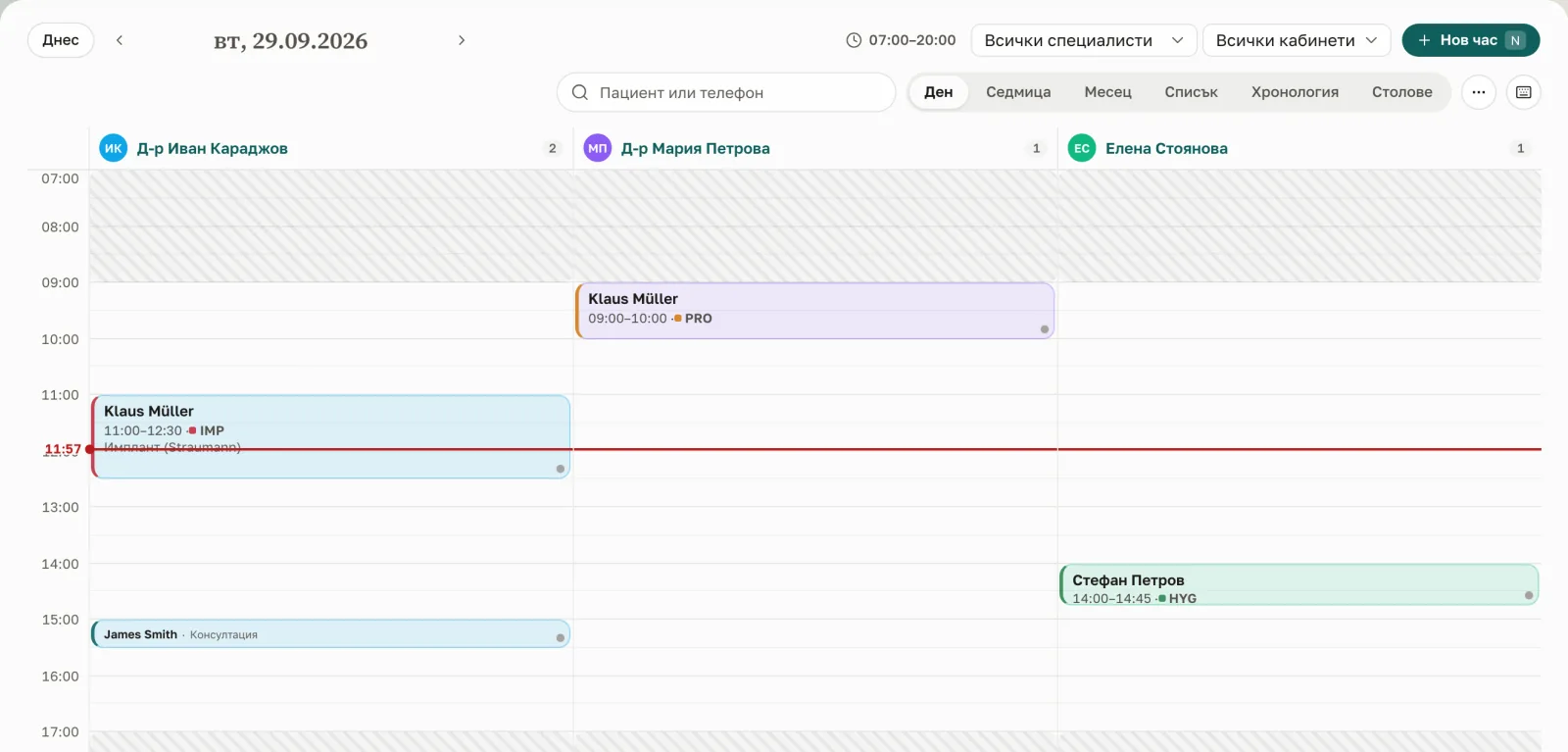
Chart and odontogram
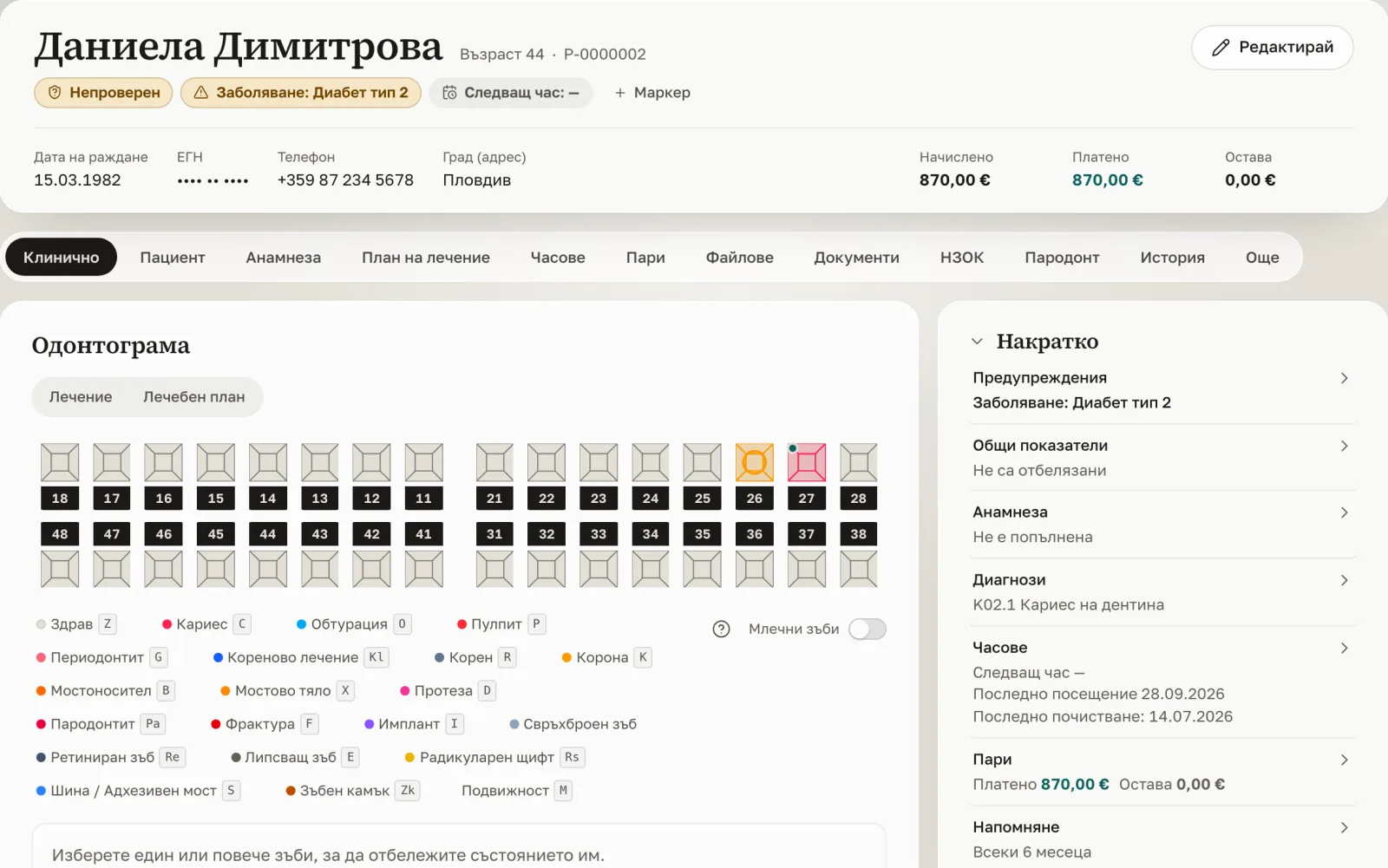
The whole patient in one place.
Patient chart, odontogram, periodontal chart, medical history, files and images — on one screen.
Plans and payments
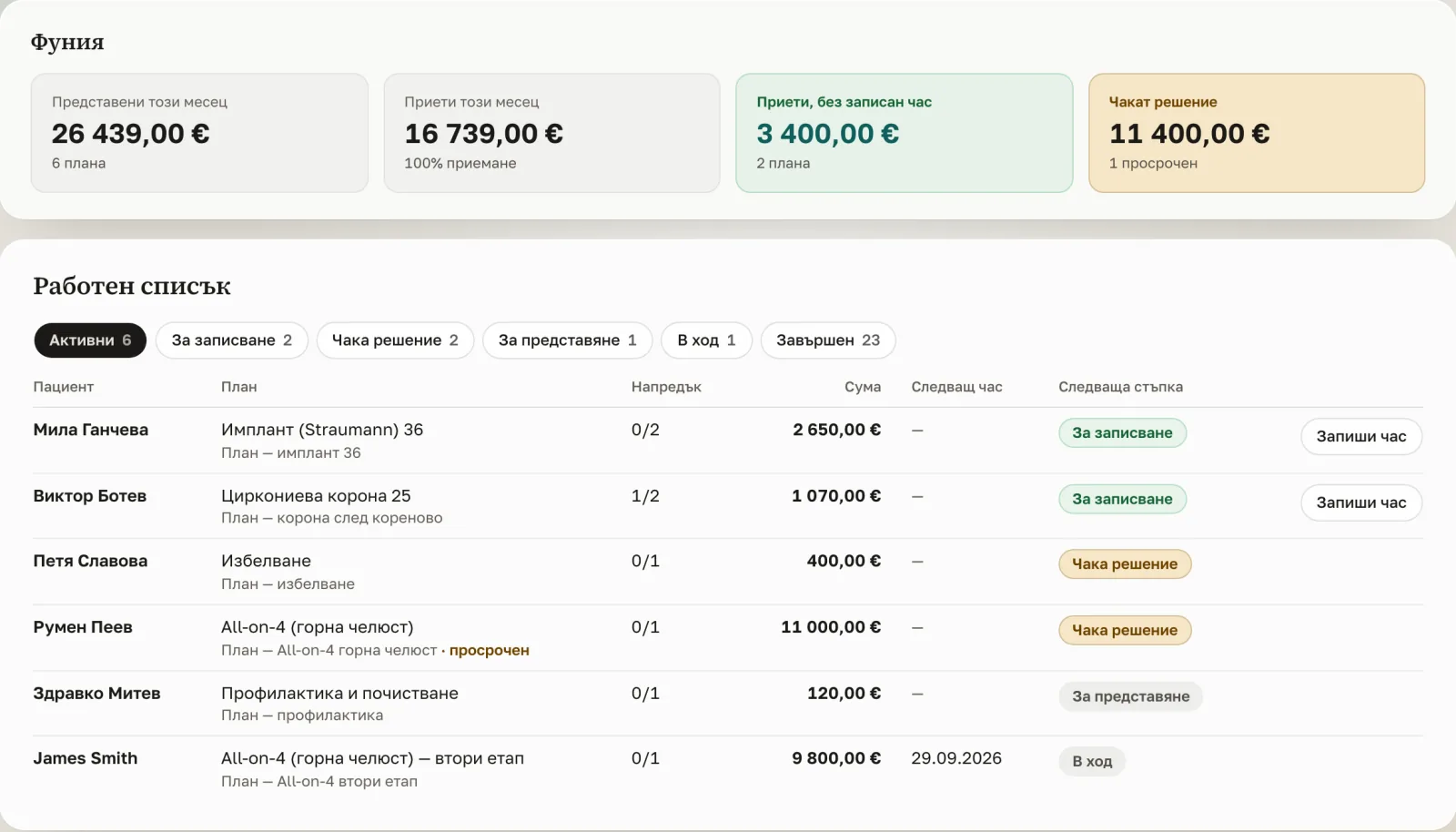
Every amount in euro.
Treatment plans with amounts, payments and invoices in euro, reports and practitioner commissions.
НЗОК and НЗИС
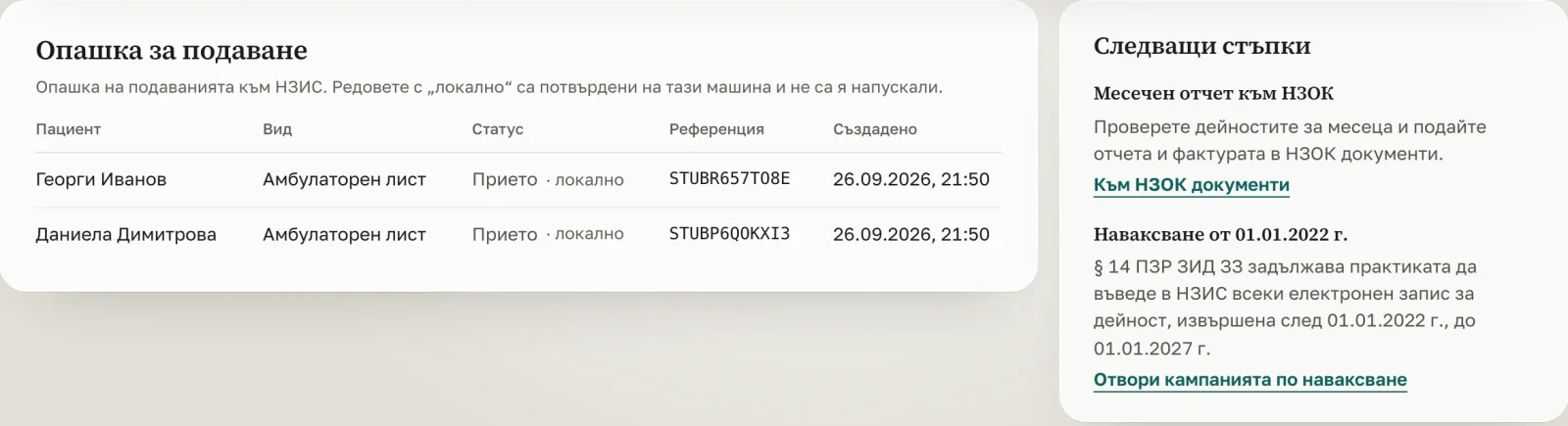
НЗОК and НЗИС — inside the software.
Every dental activity goes to НЗИС, the national health information system, private work too, and everything done since 01.01.2022 must be in the register by 01.01.2027.
Submission to the live НЗИС environment starts with the practice's registration in the system.

The whole practice
Everything for the practice.
Everything a practice does, in one system.
- Calendar by room and practitioner
- Waiting list
- SMS and Viber reminders
- Recalls
- Patient chart
- Odontogram
- Periodontal chart
- Medical history
- Treatment plans
- Prescriptions
- Referrals
- Implant passport
- Informed consent with signature
- Files and images
- Online patient form
- ID card scan
- Payments in euro
- Invoices
- Expenses
- Reports
- Practitioner commissions
- НЗОК monthly report
- НЗИС outpatient sheets
- НЗИС backfill
- КЕП signature
- НАП insurance check
- Laboratory
- Inventory
- Tasks
- Team attendance
- Roles and permissions
- Multiple locations
- AI assistant
- Works on a phone too
The data
Patient data stays under control.
- Patient data is stored in the European Union.
- Sign-in can also ask for a code from an app on the phone.
- Each time a chart is opened, the system records who, when and why.
- Each team member sees only what the role allows.
Questions
Frequently asked questions.
Where is my data stored, and is it safe?
Each practice's data is isolated in its own database schema and checked on every request. Data is held in the EU and access follows each person's role.
Who can see which staff member opened a patient record?
Every time a staff member opens a patient record, the practice stores who opened it, when and why. The owner reads that list in Settings → Audit log and can filter it by patient. The records cannot be edited or removed.
How do I invite a colleague and control what they can see?
Open Members, create or pick a role with the right permissions, then send an invite link or email — the new member joins with exactly those permissions. Managing members needs the Manage members permission, which the owner has by default.
How do I book an appointment?
Open the Calendar, click an empty time slot, choose the patient and service, and save. The visit shows on the calendar and on the patient's chart.
How do I add a patient?
Go to Patients and click Add patient, or convert an enquiry from Leads. A name, EGN and phone are enough to begin.
How do I record a payment and issue an invoice?
On a patient's chart, use the Payments card to record what they paid. From the same row you can then issue a Bulgarian invoice — set your practice's invoicing details in Settings first.
What are recalls?
Recalls track patients due back for a check-up. Set an interval on a patient and they appear in the Recalls queue when due, so no one is forgotten.
See DentiumOS in action.
Contact us, and we will show you the software with the data of a sample practice.